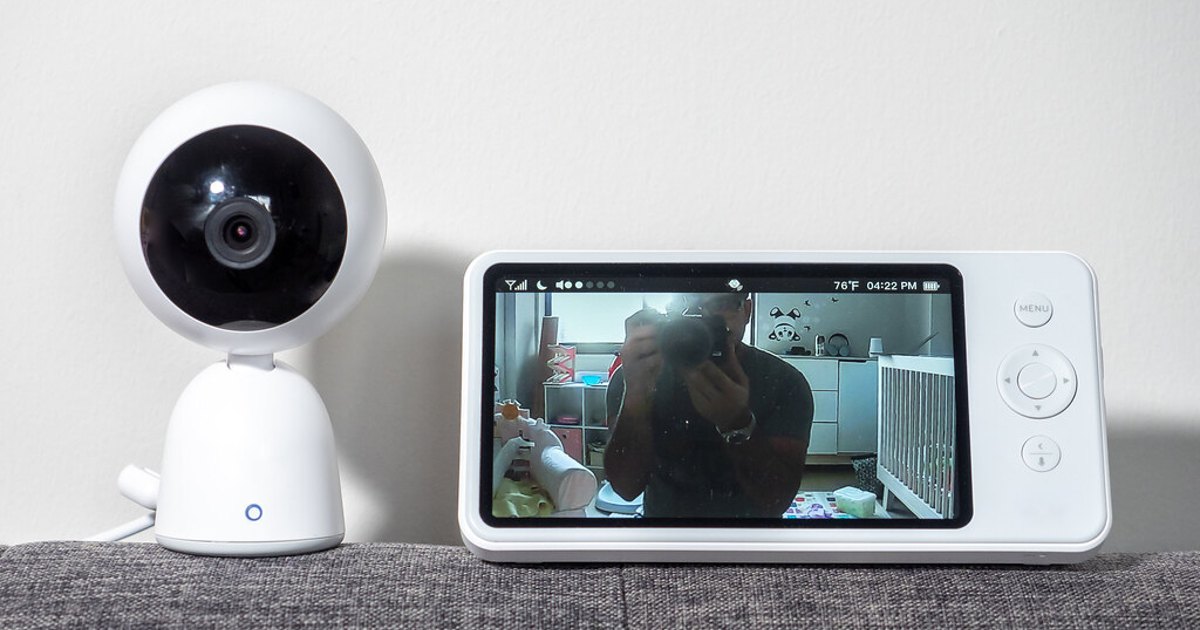
An indoor security camera can be enough for a nursery if it gives you a dependable way to hear and see the room. A dedicated baby monitor is a better fit when you want a separate parent unit, fewer bedtime phone compromises, or a monitoring routine that does not depend on your usual app and home network.
The label matters less than the system you will use at 2 a.m. Test the live view, audio, alerts, power, and outage behavior for the specific model before buying a second device.
Key Takeaways
- Reuse a security camera when its live view and audio work reliably for your household and you are comfortable with the app or display it needs.
- Choose a dedicated monitor when a separate parent unit and a focused nursery routine solve a real problem for you.
- Sound and cry alerts are a backup, not proof that you will hear every ordinary nursery sound.
- Neither device makes sleep safe or replaces safe-sleep practices, medical advice, or direct caregiving.
Baby Monitor vs. Security Camera at a Glance
| Question | Dedicated baby monitor | Indoor security camera |
|---|---|---|
| How do you check the nursery? | Many systems use a camera and a separate parent unit, but some use an app. | Often viewed through a phone app, browser, or compatible smart display. |
| Can audio stay available? | Test the parent unit’s audio mode, volume, range, and battery. | Test live audio with the phone locked, on silent, charging, and away from home. |
| What fails in an outage? | Some use a direct local link. Confirm how Wi-Fi, internet, power, and range affect the specific model. | Confirm whether viewing, alerts, and remote access need home Wi-Fi, internet, cloud services, or phone data. |
| Does recording cost extra? | Check whether it records, where clips are stored, and whether a plan is required. | Check cloud or local storage, retention, and every subscription tier before relying on history. |
| Who usually benefits most? | A household that wants a dedicated receiver and a focused nursery tool. | A household with a suitable existing camera that wants it to serve more than one purpose. |
These are tendencies, not guarantees. A Wi-Fi baby monitor can bring the same account and cloud questions as a security camera, while a particular camera ecosystem may offer a display or other feature that reduces phone dependence. Verify the manual and subscription terms for the exact model.
When a Security Camera Is Enough
A security camera wins when you already own one, it passes a real-world check, and you do not need a nursery-only receiver. It can be a sensible choice for quick visual checks while you are elsewhere in the home or for a device that will later return to a shared family space.
The deciding question is audio, not picture quality. Place the camera where you plan to use it, then have one adult make ordinary nursery sounds while another listens on the intended phone, display, or speaker. Repeat the test with the phone locked and in the settings you normally use overnight. If continuous audio matters, confirm that it remains available instead of assuming that a sound notification does the same job.
A camera is also a reasonable option when you accept its outage plan. If an app or home connection fails, you may be comfortable checking the nursery directly. It is a poor fit if an alert is your only way to notice the room and you have not tested what happens when the app, network, or phone is unavailable.
Physical placement still matters whichever device you keep. For cord routing and keeping a camera out of reach, use our baby monitor safety guide alongside the instructions for your particular model.
Where a Dedicated Baby Monitor Has an Advantage
A dedicated monitor wins when it removes friction from the nightly routine. A separate parent unit gives you a device whose main purpose is the nursery, rather than another reason to keep a personal phone charged, audible, and open to an app.
It can be especially useful when:
- You prefer to leave your phone outside the bedroom or use its silent mode overnight.
- Several caregivers need a clear way to check the nursery without sharing a personal account or passing around a phone.
- You want to compare a local-link system with app-based options because its particular failure mode better fits your household.
A parent unit is not automatically outage-proof, and a local link is not automatically better in every home. Both units still need power, and walls, distance, batteries, and model settings can matter. Not every baby monitor includes a parent unit, either. Read the manual before treating either category as a promise.
Test Latency, Audio, and Outages Before You Buy
The useful comparison is a short test of your own setup, not a category-wide claim about which type is faster. Video takes time to travel from camera to receiver, and an app-based view can add connection and phone behavior. What matters is whether the delay is acceptable for the check you expect to make.
Check live view and audio separately
With the camera in its planned location, have another adult stand in the nursery while you use the intended receiver where you spend evenings. Check:
- How quickly do a visible movement and an ordinary sound reach you?
- Is audio continuous when you expect it to be, or only available after opening the app or stream?
- Can you hear a low, ordinary sound at the volume you would use overnight?
A sound or cry alert is not the same as always-on audio. Its behavior may depend on sensitivity settings, a selected detection feature, account status, or phone notifications. Treat it as a helpful backup until you understand what triggers it and have tested it at home.
Write down the outage plan
Before the device becomes part of your sleep routine, ask whether local viewing needs Wi-Fi, whether remote viewing needs internet, how an offline device reports its status, and what happens if the camera loses power, the receiver battery runs down, or the router restarts.
Every device can be affected by a power failure. The goal is not a magical fail-safe. It is knowing which failure you have and what you will do next, whether that means checking the nursery directly, using another receiver, or following the manual to restore the connection.
Privacy, Data Retention, and Subscription Fees Are Model Questions
Privacy depends on the data path and settings, not on whether a device is marketed as a baby monitor or security camera. Before connecting any nursery camera, find out whether it requires an account, who can be invited, whether clips are stored locally or in the cloud, how long recordings remain available, and how to delete them.
Recording history can carry a recurring cost in some ecosystems. Google says its Nest cameras save cloud video history on a rolling basis. Most older Nest cameras need a Google Home Premium subscription for event or 24/7 video history. Availability also varies by model and plan (Google Home and Nest Help). This is one ecosystem example, not a claim about every security camera or baby monitor.
For any Wi-Fi setup, protect both the network and the account that controls the camera. The Federal Trade Commission recommends WPA3 Personal or WPA2 Personal encryption for home networks that may include IP cameras. It also recommends unique Wi-Fi and router-admin passwords and current router software (FTC Consumer Advice). Enable multi-factor authentication when the camera account offers it. CISA says that the second sign-in step can prevent someone with a stolen password from accessing an account (CISA).
Review account sharing after a caregiver, sitter, or household change, remove access that is no longer needed, and install device and app updates. For a focused companion checklist, see how to lock down a nursery camera account.
Keep Monitoring Separate From Safe Sleep
Do not use a camera or monitor as evidence that sleep will be safe or as medical supervision. The American Academy of Pediatrics says there is no evidence that consumer home cardiorespiratory monitors decrease SIDS risk, and they should not replace safe-sleep guidance (HealthyChildren.org). Use these devices for ordinary observation, not as a safety or medical guarantee.
Keep the sleep space aligned with safe-sleep guidance, and follow the placement instructions for the specific camera, monitor, mount, and power cord. For a focused walkthrough of nursery placement, cord risk, and camera-account security, see our baby monitor safety guide.
Troubleshoot the Setup Before Replacing It
Work through the basics before buying another device:
- Test audio first. Confirm the receiver volume, camera microphone setting, and whether the app plays live audio or merely sends alerts.
- Check phone behavior. Review notification, silent-mode, battery-saver, and lock-screen settings, then test the result.
- Confirm the connection path. Identify whether the issue is camera power, local Wi-Fi, internet access, phone data, or the app account.
- Find the offline notice. Learn how your model signals a disconnected camera and whether that notice reaches the device you will have nearby.
- Update deliberately. Install available app, camera, and router updates, then repeat the live-view test.
- Use the manual for resets and placement. Manufacturer instructions are more useful than a generic tip when the model is not behaving as expected.
If the remaining problem is phone dependence or uncertainty about outages, that may be the clearest sign that a dedicated parent-unit monitor fits your routine better.
A Simple Decision Checklist
Keep the security camera you already own if you can say yes to all of these:
- I can reliably open the live view and hear the room where and when I will use it.
- I have tested the phone or display behavior I need overnight.
- I understand its Wi-Fi, internet, power, account, and storage dependencies.
- I am comfortable with its privacy settings and any cost for the history I want.
Choose a dedicated baby monitor if these statements sound more like your household:
- I want a parent unit rather than another app on my phone.
- I want a quick, shared nursery check for more than one caregiver.
- I would trade broader smart-home features for a more focused nightly routine.
A well-tested security camera can be enough. A dedicated baby monitor is worth it when its parent unit, routine, or connection design solves a problem the camera does not.
Photo: Baby Monitor by ajay_suresh, licensed under CC BY 2.0. Resized and cropped. Illustrative stock photo; no product testing is implied.