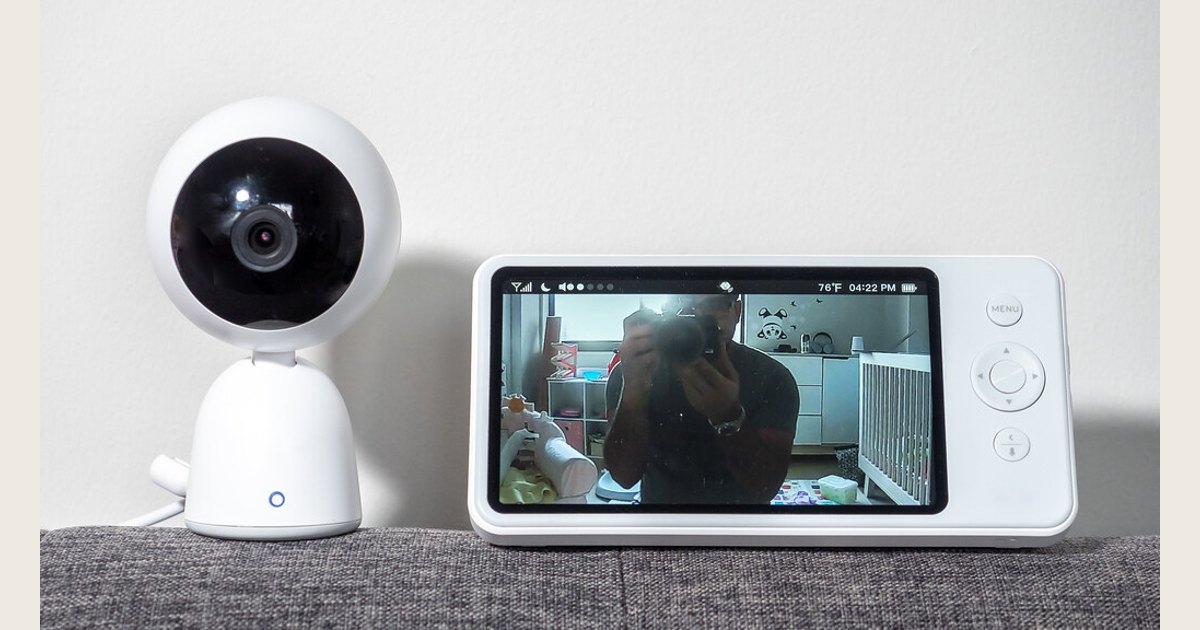
Choose a VTech baby monitor by starting with the monitoring task you need: sound if you mainly need to hear your baby, a dedicated-screen video monitor if an in-home visual check would help, or a Wi-Fi model only when remote app viewing solves a real need. Consider camera control only when a fixed view will not work for your room.
This is a research-based buying checklist, not a hands-on ranking. It focuses on questions to use when comparing exact VTech listings and uses American Academy of Pediatrics guidance for safety limits. Features, bundles, and support arrangements can differ, so confirm the listing and manual for the model you are considering.
Key Takeaways
- Choose the monitoring signal you need: sound, a visual check, or remote app access.
- Dedicated parent units and Wi-Fi apps solve different problems, so neither is automatically better.
- Add camera control or another camera only when your room layout or routine requires it.
- A monitor is not a medical device or a replacement for safe-sleep practices.
Start with the job you need the monitor to do
Begin with one sentence: “I need to know when ___.” It is an easy way to prevent a long feature list from deciding for you.
If the answer is “when my baby is crying or awake,” an audio monitor can be enough. It provides one clear signal and does not add a camera to the nursery. It is not a good fit if hearing a sound tends to leave you uncertain about what is happening.
If the answer is “whether my baby settled after I heard a sound,” look at a video monitor with a dedicated parent unit. It can suit parents who prefer a small, single-purpose screen at bedtime rather than another phone task. On the listing for the exact model, check screen size, night viewing, battery information, sound activation, and the number of cameras it supports. Those details can vary.
If the answer is “whether an approved caregiver can check the nursery while away,” consider a VTech model whose exact listing confirms remote app access. That extra setup may be worthwhile when it will be used regularly. If all viewing happens at home, a model with a dedicated parent unit may be the simpler choice.
For safe placement, cord risks, and account security, review our baby monitor safety guide before setting up any camera.
Compare monitor setups by use case
Use the exact VTech listing to identify which setup you are considering. A setup label is a starting point, not a complete specification: check the model and bundle before buying.
| Monitor setup | Best fit | Main tradeoff | Confirm on the exact listing |
|---|---|---|---|
| Audio monitor | You mainly want to hear waking or calling | No visual check | Power arrangement, sound indicators, talk-back if wanted |
| Video monitor with a parent unit | You want in-home video with a parent unit | Another device to carry and charge | Camera count, battery conditions, night viewing, stated local range |
| Video monitor with remote app access | Remote viewing is part of your routine | Network, app, and access setup | Remote-access terms, sharing controls, current support, and updates |
| A listing that includes pan, tilt, or zoom | A fixed view will not cover the sleep space | An added control feature you may not use | Whether pan, tilt, zoom, and remote control are each included |
Remote app access tells you to investigate remote viewing and app setup, not that every VTech monitor offers those functions. Likewise, a video monitor need not include a pan-and-tilt camera. Use the listing’s model number and feature list to separate those choices.
A pan-and-tilt camera is not automatically better than a safely placed fixed one. If a fixed view clearly shows the crib or bassinet, moving the camera may not give you useful new information. A larger room or persistent blind spot can make flexible framing more valuable.
Choose between a parent unit and Wi-Fi access
A dedicated parent unit suits an in-home visual check without handing over a phone or keeping an app open. Its stated local range is model-specific, so test the setup on the routes you use.
Wi-Fi access makes sense when a parent or caregiver needs to view from outside the home. The tradeoff is not simply “more range.” App-based viewing depends on the model, network, and access settings. Decide who needs access and how often away-from-home viewing will be useful.
Neither connection type is a medical safeguard. The American Academy of Pediatrics says consumer heart-rate and pulse-oxygen monitors have not been shown to reduce the risk of sudden infant death syndrome and should not create misplaced reassurance (How to Keep Your Sleeping Baby Safe: AAP Policy Explained, accessed 2026-09-15).
If you are deciding whether a camera product is appropriate at all, see our baby monitor versus security camera comparison.
Match camera control and camera count to the room
Choose a fixed camera when one stable position offers a clear view of the sleep space. It is often easier to live with because there is less to adjust at bedtime. Choose pan-and-tilt control when the view genuinely needs to change, such as when a room layout leaves a fixed-angle blind spot or a child moves to a larger sleep space.
Read specifications closely. “Pan and tilt,” “digital zoom,” and “remote control” are different claims, and a listing may not include all three. Similarly, a second camera is useful for two spaces or a meaningful blind spot, not simply because a system can expand. Confirm that the selected parent unit or app supports the camera count you intend to use.
Focus on features that change nighttime use
Treat features as decision criteria, not as must-haves:
- Night viewing: It can make a dark-room visual check more useful. It cannot assess normal breathing or prevent a sleep-related death.
- Sound activation: Read how the exact model describes this setting, then test it at home.
- Two-way talk: It can help with an older baby, toddler, or another caregiver.
- Temperature display: Treat it as one device reading, not a complete assessment of comfort or safety.
- Battery information: Check the conditions attached to a battery claim.
- Built-in sound: It is optional if you already have a satisfactory sound routine.
Pay for a feature only when you can name the moment it will help. “I will use remote access during work travel” is a reason. “It has every feature” is not.
When you may not need a new monitor
You may not need to buy or replace a VTech baby monitor if your current arrangement already lets you respond promptly and leaves you appropriately informed. That can be true when you room-share, hear your baby clearly from nearby rooms, or have a working monitor that addresses your actual concern.
Do not replace a functional monitor just to gain a medical-style reading. The AAP recommends placing babies on their backs in a separate sleep area with a firm, flat crib, bassinet, or play-yard surface and a fitted sheet, while keeping soft or loose items out of the sleep space (Safe Sleep, accessed 2026-09-15). A camera or consumer sensor does not replace those conditions.
If a clinician has raised a medical concern, ask the care team what monitoring, if any, is appropriate. Do not use a consumer monitor instead of prescribed equipment or a medical plan.
Set up and troubleshoot with the exact manual
Set up the monitor before a stressful night, with the instruction manual open for that exact model. Choose a stable camera position with a clear view of the sleep space, and follow the manual’s current directions for cable, power-adapter, and mount placement. Keep the sleep area clear and continue to use the AAP’s safe-sleep guidance, including a firm, flat sleep surface and no soft or loose items (Safe Sleep, accessed 2026-09-15).
Then test the routine you will actually use:
- View and listen from the parent unit or app in the room where you spend the evening.
- Walk the routes you use and note whether the signal or view remains useful.
- Test volume, alerts, brightness, and any sound-activation setting with normal household noise present.
- Charge the parent unit fully and learn its low-battery warning before overnight use.
- For an app-based model, review who has access and follow the manufacturer’s app and update instructions.
If the display is blank, audio is missing, or the units will not connect, begin with the manual’s model-specific charging and pairing steps rather than guessing at a reset sequence. Check power connections, reduce the distance temporarily, and retry. For an app-based model, verify the network and account steps in official support instructions. Stop using damaged cables, adapters, or mounts, and replace them with the correct parts.
Frequently asked questions
Are VTech baby monitors medical devices?
No consumer baby monitor should be treated as a medical device or a replacement for safe-sleep practices. The AAP notes that consumer heart-rate and pulse-oxygen monitors have not been shown to lower SIDS risk (How to Keep Your Sleeping Baby Safe: AAP Policy Explained, accessed 2026-09-15). Ask a health care professional about monitoring for a medical condition.
Is an audio VTech baby monitor enough?
It can be enough when you only need to hear when your baby wakes or calls and can respond without a visual check. Choose video when seeing the sleep space would change what you do after hearing a sound.
Should I choose Wi-Fi for more range?
Choose Wi-Fi when remote, app-based viewing is a real need. Do not choose it solely because a local monitor’s stated range feels hard to interpret. The two setups rely on different connections, and every in-home setup should be tested in the rooms you use.
Is pan-and-tilt worth it for one baby?
Consider it when one safe fixed camera position cannot provide a useful view over time. If a fixed camera already shows the sleep space clearly, pan-and-tilt control may be an unnecessary upgrade.
Make the final choice in one sentence
Choose audio if sound is enough. Choose dedicated video if an in-home visual check will ease a specific uncertainty without adding another phone task to bedtime. Choose Wi-Fi for genuine remote access, then add pan-and-tilt or additional cameras only when your room layout proves you need them. Keep safe sleep, not the screen, at the center of the routine.
This research-based checklist uses American Academy of Pediatrics safe-sleep guidance. It does not test, rate, or endorse individual VTech models. Confirm the features and instructions for the exact model before purchasing or setting it up.
Photo: Baby Monitor by ajay_suresh; licensed under CC BY 2.0. Resized and padded. Illustrative stock photo; no product testing is implied.