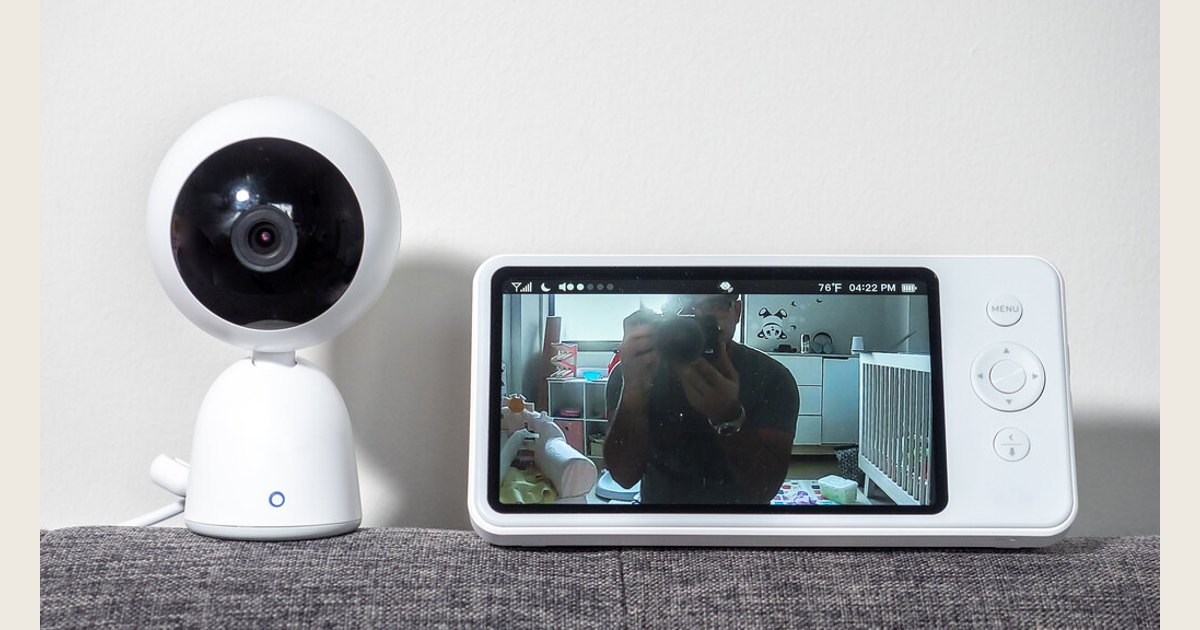
A video baby monitor can be a useful convenience when you want a quick visual check without entering the room. It is most helpful when the camera’s view, the parent display, and the way you actually move through your home fit together. It is not a safety device that replaces safe sleep, direct caregiving, or sound judgment.
Start by choosing the connection style that matches your routine, then narrow the field by camera view, night viewing, battery expectations, and in-home reliability. The right choice is usually the one that makes routine checks simple—not the one with the longest feature list.
Key takeaways
- Choose a dedicated-screen monitor if a separate parent unit suits your routine; choose an app-connected option only if phone viewing and account setup solve a real need.
- Treat advertised range and battery figures as comparison points, then test the monitor in the rooms and outdoor spots where you will use it.
- Confirm exactly what is included: camera count, mounts, screen, power supplies, app access, and any add-on cameras.
- Keep the baby’s sleep space safe regardless of the monitor. A video feed does not reduce the need for safe-sleep practices.
- For a Wi-Fi model, secure the home network and keep the router current before relying on app access.
Featured image credit: Photo: Baby Monitor by ajay_suresh, https://www.flickr.com/photos/83136374@N05/51817515261; https://creativecommons.org/licenses/by/2.0/. Resized and padded. Illustrative stock photo; no product testing is implied.
Choose the viewing setup before comparing specifications
The first decision is not resolution. It is where you want to look at the feed and who needs access to it.
Dedicated parent screen
Many video monitors pair a nursery camera with a separate handheld screen. This arrangement can work well if you prefer a device that stays on a kitchen counter, bedside table, or desk instead of using a phone. When comparing these models, check the screen size, how it charges, whether it can remain on while plugged in, and what happens when the display is sleeping or its battery is low.
A separate-screen system may also appeal to caregivers who want a monitor that is distinct from calls, messages, and other phone activity. Do not assume every dedicated-screen model has the same connection method or that every feature works without an app. Read the current product documentation for the exact camera, parent unit, and optional features under consideration.
Wi-Fi and app viewing
An app-connected video baby monitor can make sense when more than one caregiver needs access, you want to check a feed from a phone, or you regularly move between places with reliable internet access. It also adds setup work: an account, permissions, home-network access, and a plan for what happens if the phone battery, Wi-Fi, or internet connection is unavailable.
For this type of monitor, make the privacy and security details part of the buying decision, not an afterthought. Look for clear setup instructions, a current support page, and straightforward directions for updating the product. If you are also deciding whether a general-purpose camera would meet your needs, compare the tradeoffs in our baby monitor versus security camera guide.
A practical way to decide
| If this sounds like your household | Start by examining |
|---|---|
| “I want one ready-to-use screen near me.” | Screen usability, charging routine, sound controls, and how the parent unit behaves overnight. |
| “Two caregivers need to check the feed from their own devices.” | App access, account sharing controls, support documentation, and network setup. |
| “We have more than one sleep space to watch.” | Included camera count, supported camera limit, how views switch, and whether the layout works for you. |
| “We travel or use more than one home.” | Setup steps at each location, portable mounting options, and the equipment you would need to bring. |
Photo: TV, books and baby monitor by dougbelshaw, https://www.flickr.com/photos/94991702@N00/5584805270; https://creativecommons.org/licenses/by/2.0/. Resized and padded. Illustrative stock photo; no product testing is implied.
Evaluate the camera by the view you need
A sharp-looking specification is less useful than a view that clearly covers the part of the crib or sleep space you intend to watch. Before buying, imagine the actual mounting location and answer a few practical questions:
- Framing: Can the camera be positioned to show the sleep surface without putting a cord or camera inside the baby’s reach? Will a fixed lens cover that area, or would you prefer a model with adjustable positioning?
- Night viewing: Look for product photos or documentation that show the night display, but reserve final judgment until you see it in the room after dark. Consider whether you can comfortably make a routine visual check without a bright display lighting your own room.
- Sound: Decide whether you need continuous audio, adjustable volume, a vibration alert, or simply the option to turn sound on quickly. These controls vary by model.
- More than one camera: For siblings, different sleep spaces, or a play area, verify the number of cameras supported and whether additional cameras are included or sold separately. Features such as split view, automatic cycling, and remote pan or tilt are model-specific—not category-wide promises.
- Power and mounting: Identify what needs wall power, whether a bracket is included, and how the cable will reach the outlet while staying completely out of the child’s reach.
A camera should help you make a quick check, not invite constant zooming or concern over a perfect angle. A simple, stable view is often more useful than a complicated system that takes too long to set up.
Treat range and battery claims as starting points
“Range” often sounds like a single number, but the meaningful question is whether the monitor works in your home. Walls, floors, appliances, outdoor distance, and the locations of the camera and parent unit can all matter to the day-to-day experience. Use a manufacturer’s range figure to compare similar products, then test the connection in the bedroom, kitchen, yard, basement, and any other places you expect to use it.
Likewise, a listed screen-battery runtime may depend on settings such as display brightness, how long the screen stays on, audio volume, and the use of extra cameras. Before the return window closes, use the monitor through a normal afternoon and bedtime routine. Note whether the parent unit lasts long enough for your pattern, alerts you clearly before it needs charging, and can be placed where you will reliably charge it.
It is worth testing recovery, too. Turn the parent unit off and back on, move to the farthest ordinary room, and confirm that the controls are understandable without rereading the manual at 2 a.m. For a multi-camera system, switch among the cameras and make sure the view you need is easy to identify.
Read a product listing like a checklist
Product names can make two packages look interchangeable when they are not. Before comparing price or appearance, make a short written checklist for each candidate:
- What is in the box? List the parent screen, number of cameras, power adapters, mounts, and any advertised accessories.
- Which capabilities are included? Do not assume a feature shown in a product photo applies to every package or camera. Confirm it in the package description or manual.
- What requires a separate purchase? Extra cameras, replacement power supplies, wall mounts, or subscriptions can affect whether a setup suits your plans.
- What is the return process? Read the seller’s current policy and retain the packaging long enough to conduct a careful home test.
- Where will you find help later? Check that the manufacturer identifies the model, supplies a current manual, and has a clear support route.
This process will not tell you which monitor is best for every family. It will help you avoid choosing a package that does not fit the number of rooms, caregivers, or cameras you actually have. For a broader shopping framework, see our guide to choosing the best baby monitor for your nursery.
Set up a video monitor without treating it as a safety device
Choose the camera location before a baby uses the sleep space. Keep every power and monitor cord completely outside the child’s reach; do not place cords in the crib, drape them across it, or leave loose cable within reach. Follow the manufacturer’s installation instructions and use a location that keeps the equipment stable while preserving a useful view. Our baby monitor safety guide offers a focused placement checklist.
The monitor should supplement—not replace—a safe sleep environment. The American Academy of Pediatrics advises putting babies on their backs for sleep on a firm, flat surface and keeping soft objects and loose bedding out of the sleep area. It also says not to use home cardiorespiratory monitors to reduce SIDS risk. The AAP notes there is no evidence that consumer wellness devices, such as heart-rate and pulse-oximetry monitors, decrease SIDS risk, and they should not substitute for safe-sleep practices (AAP safe-sleep guidance).
That distinction is especially important when shopping language emphasizes wellness, movement, or alerts. A standard video monitor can help you see or hear what is happening; it should not be used to diagnose a health issue or to change the basic sleep setup. Discuss medical concerns or device needs specific to your baby with a pediatrician. If you are also considering a wearable device, see our guide to choosing a wearable baby monitor safely.
Secure an app-connected monitor before regular use
A Wi-Fi monitor introduces a connected camera to the home network, so protect the network as part of setup. The Federal Trade Commission recommends WPA3 Personal encryption when available, or WPA2 Personal, as well as changing the router’s default administrative credentials and Wi-Fi password. It also recommends keeping router software current and disabling remote management, WPS, and UPnP when those features are available and not needed (FTC home Wi-Fi guidance).
For the monitor itself, follow the maker’s current directions for account passwords, software updates, shared access, and device removal. Give access only to people who need it, review which phones or tablets are signed in, and remove old devices when a caregiver changes phones. These steps reduce avoidable exposure, but no connected product should be described as completely secure.
Make the final choice after a realistic trial
Once a monitor is installed, run a short household test while someone is awake and available. Check the image in daylight and darkness, listen at the volume you normally use, walk to the places you expect to be, and practice charging or reconnecting the parent unit. For an app, test notifications and access on each caregiver’s intended device.
If a monitor creates more friction than reassurance—an awkward camera angle, a screen that needs constant attention, confusing controls, or a connection that does not serve your space—use the return option rather than trying to force a poor fit. A well-chosen video baby monitor is a practical viewing tool: easy to check, sensibly placed, and used alongside the same safe-sleep habits you would follow without a camera.