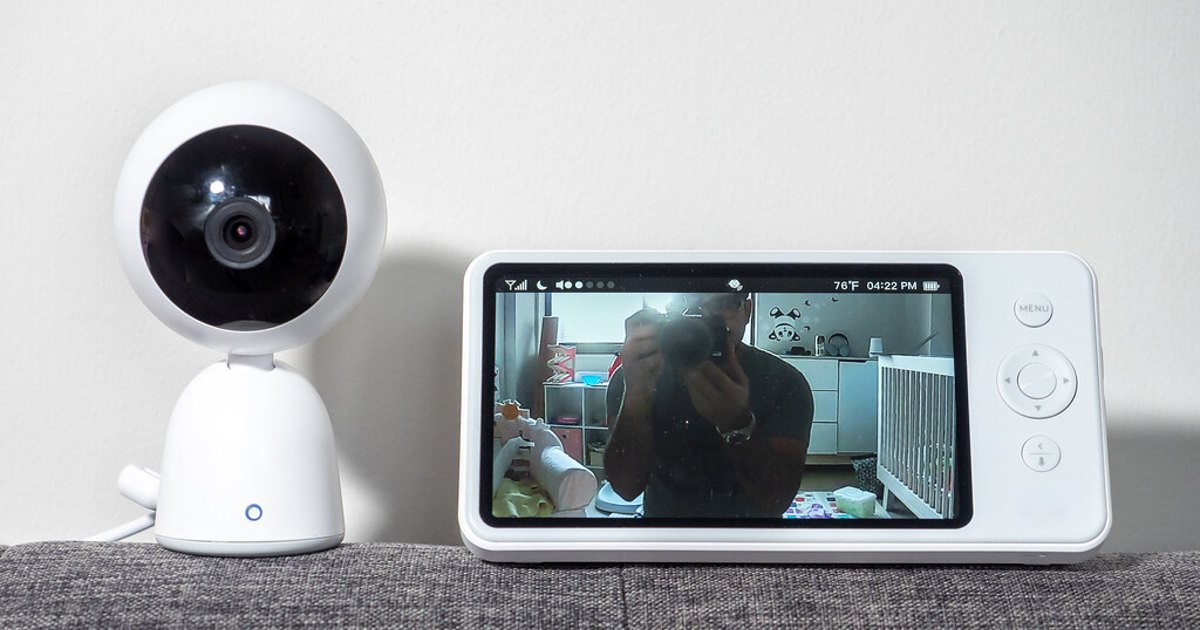
There is no universal best baby monitor. This is a feature-based buying guide, not a ranked roundup or hands-on test: choose audio if you mainly need to hear your baby, non-Wi-Fi video for a dedicated at-home screen, or Wi-Fi when remote app viewing is truly useful. If you are also weighing a general-use camera, see our baby monitor vs. security camera guide. Choose dependable basics over the longest feature list.
A monitor is not a safety device or a replacement for caregiving. The American Academy of Pediatrics says home cardiorespiratory monitors, including consumer heart-rate and pulse-oximetry wearables, have not been shown to reduce SIDS risk and should not replace safe-sleep practices (AAP, How to Keep Your Sleeping Baby Safe: AAP Policy Explained).
Key Takeaways
- Choose audio for simplicity, non-Wi-Fi video for a dedicated local view, or Wi-Fi for remote app access.
- Test reception where you will use it. Your home’s layout matters more than an advertised range.
- Keep monitor cords out of the crib and follow the monitor manual’s installation instructions (CPSC).
- Breathing, movement, heart-rate, and oxygen alerts do not prove sleep is safe.
- Secure Wi-Fi monitoring with a protected home network, a unique monitor-account password, and only the viewer accounts you need.
Choose the monitor type before comparing models
| If you need… | Start with… | Tradeoff |
|---|---|---|
| To hear waking or fussing with little setup | Audio monitor | No nursery picture |
| A dedicated at-home picture without home internet | Non-Wi-Fi video monitor with parent unit | Not designed for remote viewing away from home |
| Remote viewing on a phone | Wi-Fi video monitor | Depends on the account, app, router, and internet |
| More than one room or child | System with add-on camera support | Confirm how it displays multiple feeds |
Audio monitors: best for a low-distraction setup
Choose audio when hearing your baby is enough. It works well in a compact home, for travel, or for caregivers who prefer not to keep another screen on. Prioritize a parent unit that is easy to hear, carry, and recharge.
Some systems use DECT or FHSS radio connections. The labels alone do not determine quality. Read how the units pair and test them room to room after setup.
Non-Wi-Fi video monitors: best for a dedicated nursery view
A non-Wi-Fi video monitor pairs a camera with a handheld parent unit. It suits households that want a visual check at home without an app or internet connection. The dedicated display also keeps nursery checks separate from phone notifications.
Check the parent unit in low light, its battery behavior, and add-on camera support. With multiple cameras, confirm whether it uses split screen, automatic scan, or manual switching.
Wi-Fi monitors: best when remote access solves a real need
Consider Wi-Fi if remote viewing will help a caregiver at work or another approved viewer. For a more detailed comparison of app-connected nursery cameras and dedicated monitors, see baby monitor vs. security camera. Before paying more for saved clips or notifications, check what happens if the internet drops, the app logs out, or your phone battery dies.
Secure the system before regular use. The Federal Trade Commission recommends WPA3 Personal, or WPA2 Personal where needed, changing default router administrator credentials, using distinct passwords, keeping router software current, and disabling unneeded remote administration, WPS, and UPnP (FTC, How To Secure Your Home Wi-Fi Network).
Use a unique monitor-account password and remove viewers who no longer need access. Privacy depends on the account, camera, phone, and home network, not one setting.
Prioritize the features you will actually use
Range and connection reliability
Treat a published range as a starting point. Walls, floors, appliances, and layout can change performance. Test the monitor from your bedroom, kitchen, backyard, and other normal locations. A modest-range model that works consistently at home is the better purchase.
For Wi-Fi, test the camera on home internet and the app on cellular data. For a parent unit, check its signal-loss alert.
Battery, night vision, and two-way talk
Consider the full evening when assessing parent-unit battery life. Check whether voice activation or screen-sleep mode works for you, how quickly it wakes, and whether alerts are clear.
Night vision should make a quick check understandable without turning on nursery lights. Two-way talk can be useful for a toddler but is optional. Test for delay, volume, and feedback before relying on it. A temperature reading can prompt you to assess the room, but verify a surprising number with a separate room thermometer.
Multi-camera displays and subscriptions
For siblings, twins, or a nursery plus playroom, look beyond “multiple camera support.” Split screen shows feeds together but makes them smaller; scan mode rotates them; manual switching requires attention. Include add-on cameras in the total cost.
For app-connected systems, find out whether video history, multiple viewers, or sleep summaries need a subscription, whether the monitor remains useful without it, and whether a trial renews automatically. Read current terms right before buying.
Set a budget around dependable basics
You do not need a premium monitor for a useful setup.
- Lower-cost: Audio can be enough when hearing your baby is the goal. A basic one-camera video monitor may also fit.
- Mid-range: Look for a usable screen, dependable charging, night vision, and perhaps a second-camera option.
- Higher-cost: App access, video history, higher resolution, multi-camera systems, and bundled tracking may add cost. Pay only for features you expect to use.
Skip a feature that adds charging, permissions, recurring fees, or anxiety without changing what you would do. Automatic sleep scores, extensive analytics, and cloud storage can be unnecessary for a simple check-in routine.
Be especially cautious with consumer products that claim to monitor breathing, heart rate, oxygen level, movement, or sleep quality. They are not a substitute for a safe sleep environment. The AAP says home cardiorespiratory monitors have not been shown to reduce SIDS risk (AAP). For a child-specific health concern, ask their pediatric clinician rather than relying on a consumer-product claim.
Make placement and safe sleep part of the decision
Plan the layout before you buy. The CPSC specifically urges parents to keep baby-monitor cords out of cribs (CPSC, CPSC Urges Parents to Keep Baby Monitor Cords Out of Cribs). For step-by-step placement and camera-security considerations, use our baby monitor safety guide. For the rest of the setup, follow the model-specific installation instructions for the camera, power adapter, and cord routing. Reassess the setup when your child becomes mobile.
The monitor does not change sleep-space basics. The AAP recommends a firm, level, safety-standard crib, bassinet, portable crib, or play yard with a fitted sheet and no loose bedding, pillows, toys, bumper pads, or weighted items (AAP). Set up the room safely first, then use the monitor as one more way to check in.
Troubleshoot before returning a monitor
Test the setup during the return window.
- Charge and update. Fully charge the parent unit or phone, install available updates, and restart both devices.
- Test your normal route. Check for signal loss, lag, poor audio, or night-vision glare from the places you use most.
- Improve placement safely. Reposition equipment only as the manual directs and keep vents clear.
- Check the Wi-Fi basics. Confirm the intended network, update the router, and limit app permissions.
- Plan the fallback. Learn the signal-loss alert and decide how you will check on your baby when a monitor, battery, or internet connection is unavailable.
If the connection is still unreliable after following the manual, choose another placement or return it.
When you may not need a baby monitor
A monitor is optional. You may skip one in a compact home, when you can readily hear your baby, or when you prefer fewer devices. Some families start without one and add audio or video only after a child moves to a separate room or a routine reveals a specific need.
Choose safe sleep practices first, then the simplest monitor that gives your household useful information.
Photo: Baby Monitor by ajay_suresh, licensed under CC BY 2.0. Resized and cropped. Illustrative stock photo; no product testing is implied.