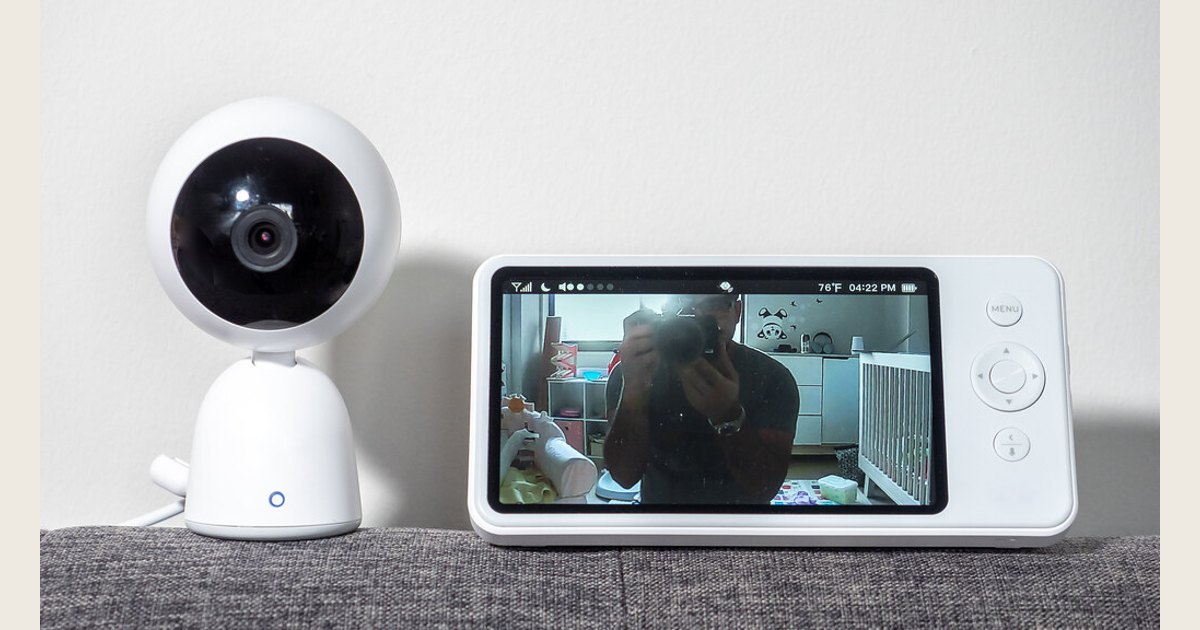
A HelloBaby monitor can make sense for a household that wants a dedicated camera-and-parent-unit setup, but the brand name alone does not tell you what you will get. Connection method, included cameras, screen size, camera adjustment, sound-activation settings, battery behavior, and expansion options can differ by model and seller listing. The practical way to shop is to decide how you want to monitor first, then verify the exact current model’s manual, package contents, and return policy before ordering.
This is a buying guide, not a hands-on ranking. It does not treat every HelloBaby monitor as having the same features, and it does not repeat unverified price, range, or battery claims. For a broader category overview, see our guide to choosing the best baby monitor for your nursery.
Photo: Baby Monitor by ajay_suresh, https://www.flickr.com/photos/83136374@N05/51817515261; https://creativecommons.org/licenses/by/2.0/. Resized and padded. Illustrative stock photo; no product testing is implied.
The short version: what to decide before comparing models
| If this is your priority | Verify this before you buy |
|---|---|
| You do not want to use a phone for routine viewing | A dedicated parent unit is included, plus its charging method and controls. |
| You want to avoid putting the monitor video on your home Wi-Fi network | The exact model documentation describes a direct camera-to-parent-unit connection rather than Wi-Fi. |
| You may monitor more than one room | Whether additional cameras are supported, how they are sold, and how the parent unit switches views. |
| You need to see more of the room without entering it | Whether the included camera is fixed or remotely adjustable, and which movements its controls actually support. |
| Overnight use matters most | Display behavior, sound-activation options, low-battery indication, charging instructions, and what continues to work with the screen off. |
The best choice is the one that fits your room layout and routine without asking you to assume a feature is present. A larger screen, for example, is not automatically more useful if a smaller parent unit is easier to carry. An expandable system is not a benefit if one camera covers the only sleep space you plan to monitor.
Start with the connection path, not the marketing label
“Hello baby monitor” searches often surface devices with very different setups. A dedicated video monitor commonly has a camera and separate handheld parent unit. A Wi-Fi camera typically sends video through the home network to an app or account. Some buyers prefer a dedicated parent unit because it keeps routine viewing off a phone; others prioritize app access when another caregiver is away from home.
If avoiding Wi-Fi is important, confirm it from the exact model’s current manual or manufacturer listing. Do not rely on a product title, an older review, or the fact that another HelloBaby model used a particular connection type. A direct camera-to-parent-unit link and a Wi-Fi-connected camera have different setup and privacy considerations, but neither label is a guarantee of security, reliability, or suitability for every household.
For a Wi-Fi-connected model, secure the network as part of setup. The Federal Trade Commission recommends using WPA3 Personal when available (or WPA2 Personal), changing default router administrative and Wi-Fi passwords, and keeping router software up to date in its home Wi-Fi security guidance. Those steps apply to the home network and connected devices; they do not establish the security practices of a particular monitor maker or app.
Still deciding between a dedicated monitor and an app-based camera? Our comparison of a baby monitor versus a security camera can help clarify the day-to-day tradeoff.
Compare HelloBaby models feature by feature
A useful comparison starts with the exact model number, not a photo that looks similar. Retail listings can combine variants, include optional accessories, or retain an older description after a product changes. Save the product page and manual before checkout, then make a small comparison grid.
| Category | What to look for | Why it matters |
|---|---|---|
| Included equipment | Camera count, parent unit, mounts, power adapters, and any accessories | It prevents assuming a second camera or mounting option is in the box. |
| Viewing | Display size, video behavior in low light, volume controls, and status indicators | These details affect whether you can interpret the view and hear the alert you expect. |
| Camera operation | Fixed view or remote controls; any supported pan, tilt, zoom, or room-scan functions | Camera controls only help if they cover the part of the room you need to see. |
| Audio and alerts | Two-way audio, sound activation, alerts, sensitivity choices, and screen-on/off behavior | Names such as “VOX” are less useful than knowing exactly what wakes the display or sounds an alert. |
| Multi-room use | Maximum supported cameras, view switching, split view if documented, and camera-pairing steps | A system may be expandable without showing every camera at once. |
| Power and support | Charging instructions, battery indicators, replacement parts, warranty terms, and return window | These are the details that become important after the box is open. |
Treat advertised range as a starting point for a home test, not a promise that the same signal will work through your walls, floors, appliances, and outdoor spaces. Likewise, night viewing is not a substitute for checking that the camera angle remains useful when the room is dark.
A 15-minute pre-purchase check
- Write down the exact model number. Copy it from the current product page and check that it matches the package title and manual available to you.
- Confirm the connection type. Look for plain language about Wi-Fi, an app, an account, or a camera-to-parent-unit connection. If the wording is unclear, ask the seller or manufacturer before purchase.
- Check what is included. Count cameras and power adapters, and note whether a stand, wall mount, or additional camera is optional.
- Match the view to the room. Decide where the camera could sit or mount without creating a cord hazard, then determine whether a fixed view is enough.
- Read the return and support terms. Keep the packaging until you have tested normal use in your own home. This is especially useful when the listing is vague about an operational detail that matters to you.
That last step is not just administrative. A monitor can look right on paper yet be awkward for your household because the parent unit is inconvenient to carry, the camera position does not suit the room, or a claimed feature behaves differently than you expected.
Set up the monitor with safety and ordinary use in mind
A baby monitor is an observation tool, not a replacement for a safe sleep environment or for caregiver judgment. The National Institutes of Health’s Safe to Sleep® guidance recommends an infant sleep space that is firm, flat, level, and covered only by a fitted sheet; it also describes room sharing with a separate infant sleep space. A camera view does not change those recommendations.
Plan camera location before connecting power. The U.S. Consumer Product Safety Commission’s baby-monitor cord warning says to keep monitor cords out of the reach of infants and young children. Keep cords and adapters away from the sleep area, follow the manufacturer’s placement instructions, and reassess the setup as your child becomes more mobile. Do not improvise a placement that puts a cord, adapter, or loose accessory within reach.
Then test the monitor during an ordinary part of the day:
- Check the camera view with the sleep space in its usual position and lighting.
- Walk with the parent unit to the rooms where you will actually use it, including the kitchen or outdoor area if relevant.
- Test normal sound, the volume setting, any sound-activation mode, and the low-battery or charging indication described in the manual.
- If the system uses Wi-Fi, change default router credentials, enable WPA3 or WPA2 encryption, and apply router updates as the FTC recommends.
- Recheck the view and cord placement after moving furniture, changing sleep arrangements, or adding a second camera.
For a deeper placement and camera-security checklist, read our baby monitor safety guide.
Common issues to solve before deciding a monitor is a bad fit
The view is too narrow. First, confirm whether the camera is fixed or whether the parent unit can adjust it. Reposition only within the placement instructions and safety limits. If a fixed camera cannot show the needed area safely, a different camera style may be a better match.
The signal works in one room but not another. Test with fully charged equipment and change one variable at a time: distance, room, or obstruction. Do not treat a quoted range as a guarantee for a particular building. Consult the manual’s troubleshooting section before assuming the unit is defective.
You miss sound or the screen activates too often. Review volume, sound-activation, sensitivity, and screen settings for that model. Test them while you are awake and can observe what actually triggers the unit.
Battery life feels shorter than expected. Check the manual for charging time, display settings, and the intended use of any sound-activation feature. Use the supplied or manufacturer-approved power equipment; do not assume a random adapter is interchangeable.
HelloBaby monitor FAQ
Are all HelloBaby monitors non-Wi-Fi?
Do not assume so. Confirm the connection method for the exact current model you are considering. A brand can sell products with different feature sets, and retailer descriptions may be incomplete or out of date.
Can a baby monitor prevent SIDS or make an unsafe sleep setup safe?
No. A monitor does not replace safe-sleep practices. Follow the safe-sleep environment guidance from NIH’s Safe to Sleep® program, and use the camera as an added way to observe—not as a reason to change the sleep environment.
Can I add a second camera later?
Only if that specific system supports it. Verify the maximum camera count, compatibility of the add-on camera, pairing process, and how the parent unit presents multiple views before buying the first unit.
What should I verify on delivery day?
Match the model number and included equipment to your order, read the setup and placement instructions, charge the parent unit, test it where you will use it, and keep all packaging until you decide it meets your needs.
A careful model-by-model check is more valuable than a generic “best” label. Once you have confirmed the connection type, camera configuration, everyday controls, and safe placement options, you can choose a HelloBaby monitor based on evidence from the exact product rather than assumptions about the brand.